Produmex WMS 2026.10
Release date: 2026.10.07
Boyum Download center
WMS SQL Version:
WMS HANA Version:
Tested SAP Business One versions
- SAP B1 10.0 FP2608 64-bit MSSQL 2019
- SAP B1 10.0 FP2608 64-bit HANA 2.00.059.09
Note: Older and newer SAP Business One versions usually also work, but have not been specifically tested in those versions.
To solve the issue, go to Administration → System Initialization → General Settings → Services tab → UI API Configuration group, click the '…' button after 'Enable Query Validation' and append the table to the list. Alternatively, turn off 'Enable Query Validation'.
With SAP B1 version 10.0 FP 2405 when trying to access database table via Data Interface (DI) API, the user might get an error “Cannot access table. Please check it is listed in the allowed list. For more information, see SAP Note 3399053.”
To solve the issue, go to Administration → System Initialization → General Settings → Services tab → DI API Configuration group, click the '…' button next to 'Enable Query Validation' and append the database table to the allowlist.
DB version: 794
DB Branch version: 0
Required Add-On Loader version: 22
Release Notes
Previous Release: 2026.06
Video:
This release includes a large internal refactor of Produmex WMS.
It does not change how the product works for end users, but customizations may be affected.
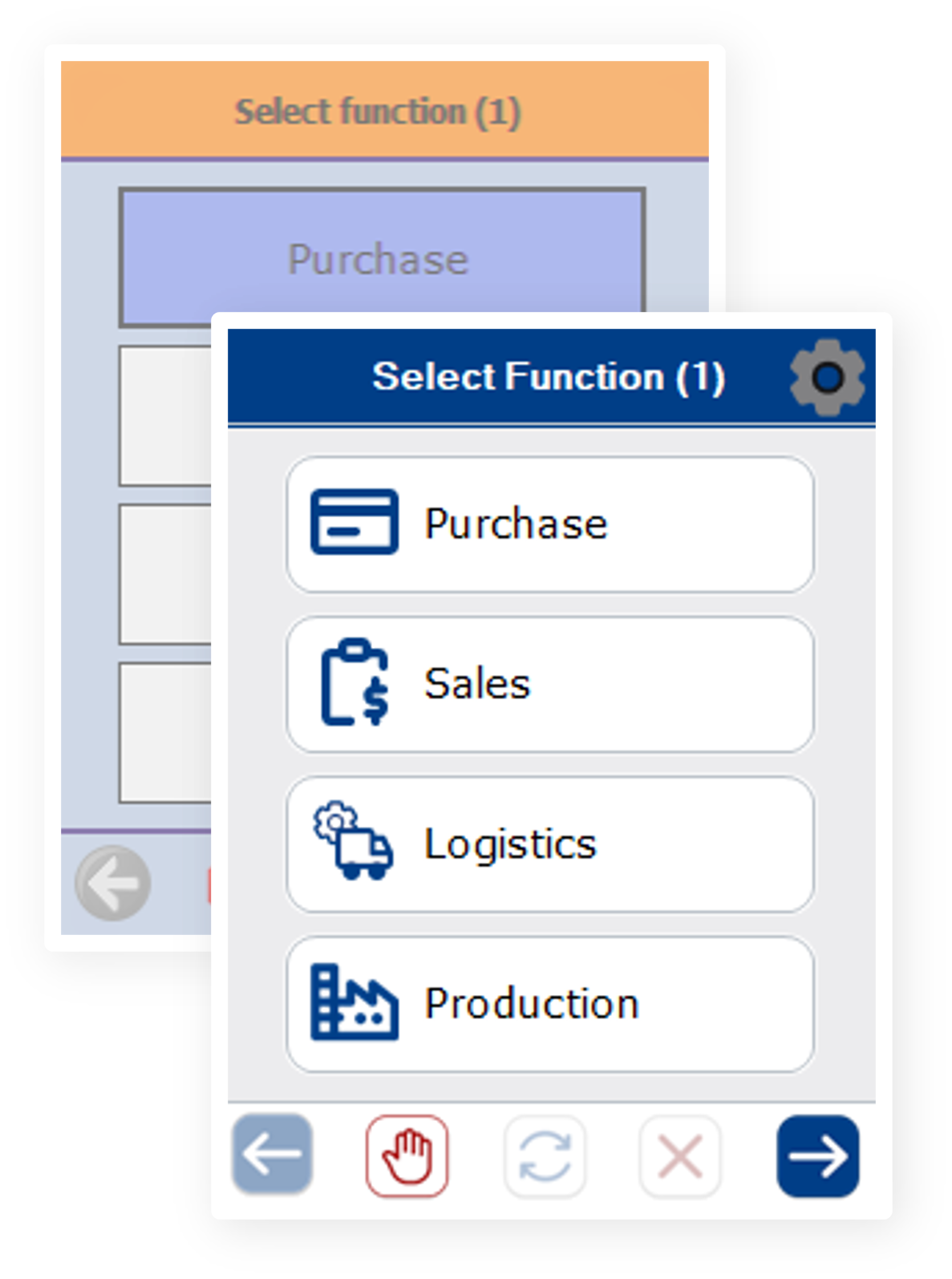
The PMX WMS Visual Refresh modernizes the look and feel of the WMS while preserving the proven workflows and operational reliability customers already rely on. It introduces a refreshed color palette, updated iconography, cleaner layouts and a clearer visual hierarchy, validated end-to-end across both the mobile device and the touch client. Both the Mobile client and the Touch client have been updated.
Note: Produmex WMS remains the same warehouse solution, now it simply looks as good as it already works.
Useful Links & Information:
- Visit our documentations site for Beas & WMS integrations:
Beas - WMS Integration
- Customization examples - WMS Scripting:
Useful articles about WMS Scripting & Customization
Bug fixes - Produmex WMS 2026.10.00:
| Ticket | Description |
|---|---|
| 193979 | Problem with Packing flow: Pack identical logistics units / Multiple identical sub packages |
| 205317 | GS1 Scanning during Cash Register Packing does not respect batch number |
| 216379 | Receive more than ordered in container management |
| 247443 | Error when scanning item barcode while receiving from Whs without Inventory Transfer Request |
| 255012 | Stock Counting Difference Suggested |
| 259931 | EDI sales invoice/sales return template Stuck - it's an incomplete feature in EDI module for sales invoice and return. |
| 262154 | System creates 2 instances of the same SSCC simultaneously with 2 different InternalKey |
| 274493 | Inconsistent Protection Mechanism on Production Orders With Open Proposals |
| 274745 | Incorrect ordered quantity in Picklist Proposal - Uom group quantity is displayed as ordered quantity if Batches are allocated on the Sales Order |
| 276406 | Stock selection on delivery when item has UoM group |
| 277623 | Cycle counting doesn't accept batchnumber |
| 295294 | Goods Issue Select Stock Button hidden |
| 295887 | Option to pick onto an existing SSCC is not offered if leaving picklist and going back in |
| 296343 | Upgrade error : Error 41016: Error when inserting recordset 'INSERT INTO “PMX_PAVH” - Invalid object name 'PMX_PAVH'.' |
| 296654 | Select Stock in SAP shows wrong UoM |
| 297480 | Fail to finish Packing Order with Master Package - Handheld Error |
| 297763 | Ad hoc movements between warehouses generate a separate transfer document for each SSCC. |
| 297993 | Re: Error During Shipping Process for Stock Transfer with Serial Numbers |
| N/A | The interrupted packaging process runs into an error |
| N/A | Rounding issues in Shipping with magnitude smaller numbers in quantities |
| N/A | Missing new SAP fields |
| N/A | TMP_LocationsForItemForAdHocPickingDetails not consider properly Parameter Set |
| N/A | Select stock button misplaced on FP2508 |
| N/A | Corr. Invoice: Batch item with uom group UI issue |